
Auto History Wipe: Ultimate Browser Cleaner & Privacy Guard
Take full control of your online privacy and boost your browser’s performance effortlessly! Auto History Wipe is the most efficient and user-friendly tool designed to automatically clear browsing history, cache, cookies, and more from Google Chrome.
Forget about manually clearing your data every time you close a tab. Auto History Wipe runs in the background to ensure your digital footprint is erased according to your specific rules. Whether you want to clean up upon starting the browser, before exiting, or at set time intervals, this extension handles it all automatically.
Why Choose Auto History Wipe?
Protect Your Privacy: Stop websites from tracking you by automatically removing cookies and history.
Boost Browser Speed: Clear out old cache and temporary files that slow down Chrome.
Set It & Forget It: Configure your settings once, and let the extension do the work for you.
Customizable Cleaning: Choose exactly what stays and what goes (e.g., keep your passwords but delete your history).
Key Features:
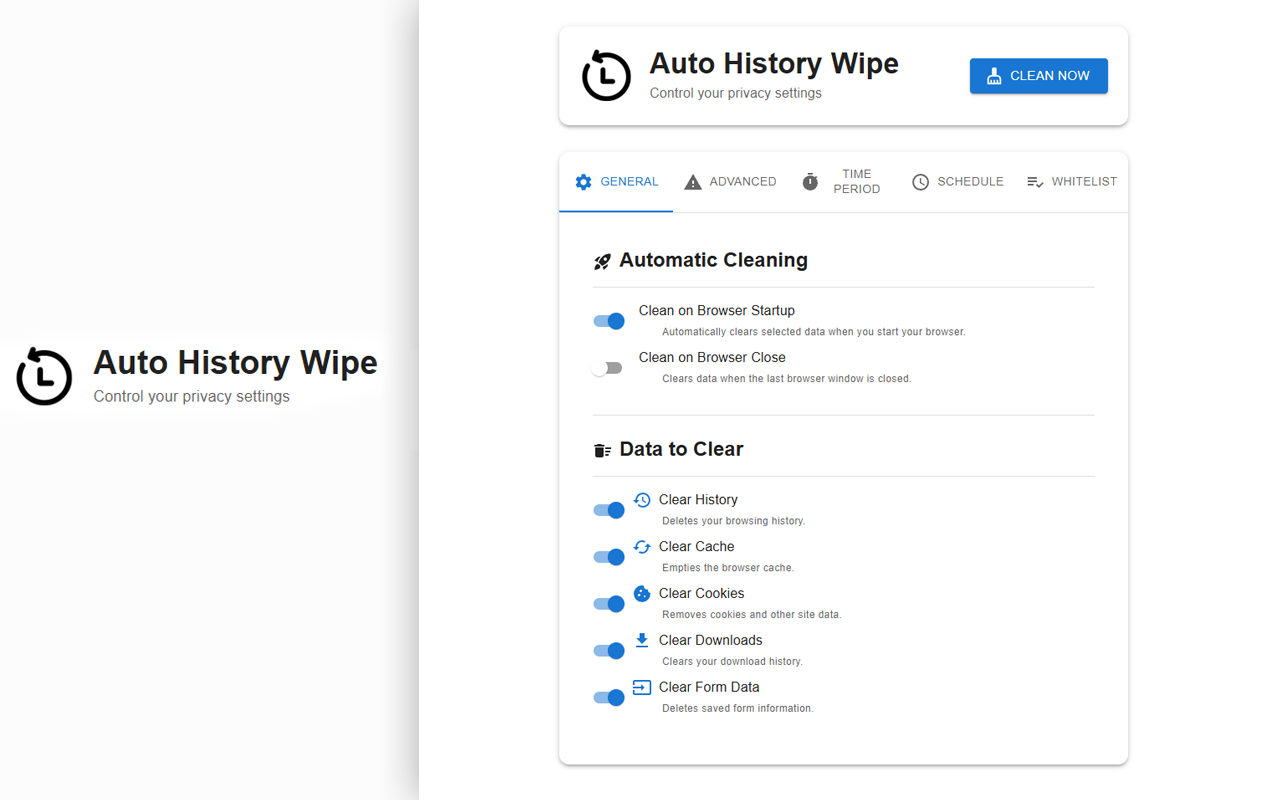
🚀 Auto-Clean Triggers: Wipe data automatically on Browser Startup, Exit, or via a Timer.
🗑️ Comprehensive Cleaning: Removes History, Cache, Cookies, Downloads, Form Data, and Local Storage.
⚡ Instant Purge: One-click "Clear Now" button for immediate cleanup.
🔒 Secure & Lightweight: Runs locally on your device without collecting any personal data.
Keep your browser fresh, fast, and private with Auto History Wipe.
Using Auto History Wipe is simple and intuitive. Follow these steps to secure your browser in seconds:
1- Install: Click "Add to Chrome" to install the extension.
2- Open the Menu: Click the Auto History Wipe icon in your browser toolbar (you may need to click the puzzle piece icon to pin it).
3- Select Data to Clear: Check the boxes for the data types you want to remove:
* Browsing History
* Cache (Temporary Files)
* Cookies
* Download History
* Saved Form Data / Passwords
4- Set Your Triggers: Choose when you want the cleaning to happen:
5- On Startup: Cleans automatically when you open Chrome.
6- Time Interval: Set a specific timer (in minutes) for periodic background cleaning.
7- Manual Clean: Press the "Clear Now" button anytime you need an instant reset.
Your preferences are saved automatically. Enjoy a cleaner, faster, and safer browsing experience!
Frequently Asked Questions
Yes, Auto History Wipe is 100% free to use with no hidden fees or subscriptions.
No, not unless you choose to. You have full control over what gets deleted. If you do not check the "Passwords" box in the settings, your login information will remain safe.
No, because Chrome's security options prevent you from running code while Chrome is closed.
No. This extension only clears the local browsing data stored on your computer. It does not touch the history stored on Google's servers linked to your account.
Absolutely not. Auto History Wipe operates entirely locally on your device. We do not collect, store, or share your browsing activity.
Over time, accumulated Cache files can slow down Chrome. By automatically clearing these temporary files, the extension helps maintain your browser's performance and speed.
Privacy Policy Content...
Reviews Content...