
Switch to Incognito Mode Instantly – Protect Your Privacy with One Click!
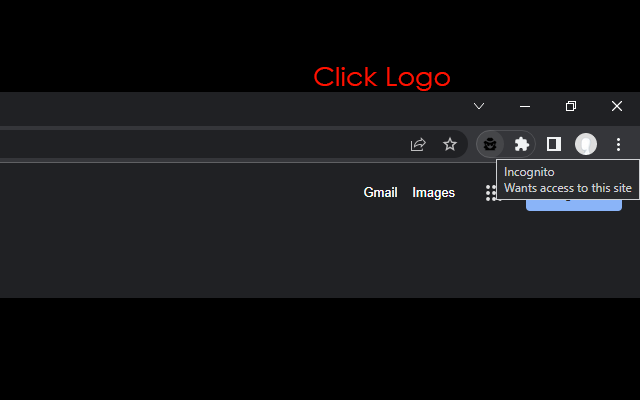
"Incognito This Tab" is the fastest and easiest way to move your current web page to a private browsing window. Stop manually copying and pasting URLs; simply click the button or use a hotkey to surf the web without leaving a trace in your browser history.
Whether you want to prevent cookies from being saved, check a website as a guest, or simply keep your browsing history clean, this extension is the perfect privacy tool for you.
🚀 Key Features:
One-Click Switch: Instantly open the current URL in a new Incognito window via the toolbar icon.
Keyboard Shortcut: Boost your productivity! Just press "Alt + O" to switch modes immediately.
Context Menu Support: Right-click on any link or page and select "Open in Incognito".
Auto-Close Option: Automatically removes the original tab from your browsing history to keep your session clean.
Lightweight & Secure: No background processes, no ads, and absolutely no data tracking.
🛡️ Why You Need This Extension?
Enhanced Privacy: Browse without saving cookies, cache, or history on your local device. Perfect for shared computers.
For Developers & SEO: Quickly test websites in a clean environment (no cache/cookies) to see how they appear to new visitors.
Seamless Experience: Simple, fast, and does exactly what it says.
Take control of your online privacy today. Download Incognito This Tab for a faster, safer browsing experience.
Install the extension.
Click the icon or press Alt + O on any tab you want to make private.
Pro Tip: Go to Manage Extensions > Details and enable "Allow in Incognito". This allows you to switch tabs back from Incognito to a Normal window!
Frequently Asked Questions
Yes, this extension is 100% free and does not contain any ads or in-app purchases.
Absolutely not. The extension does not collect, store, or send your data to any server. It operates locally on your browser solely to open tabs in Incognito mode.
The extension closes the original tab to help keep your browsing history clean. If the tab remained open, it would be recorded in your standard history, defeating the purpose of a quick privacy switch.
Chrome restricts extensions from running on system pages (like Settings, History, or the New Tab page) and the Chrome Web Store itself for security reasons. It works on all standard websites.
Privacy Policy Content...
Reviews Content...