uTorrent For Chrome: Speed up downloads with extensions
Users have loved uTorrent for a long time. It is famous for being light and fast. It works efficiently and uses very few resources. Now, the uTorrent extension for Chrome makes your experience even better.
What is uTorrent and Why Do People Use It?
uTorrent is a big name in the torrent world. It is known for easy downloads. This client is small but powerful. Unlike big programs, uTorrent works well on old computers. Moreover, it downloads big files fast. It does not use much CPU or RAM. Consequently, millions of people around the world use it every day.
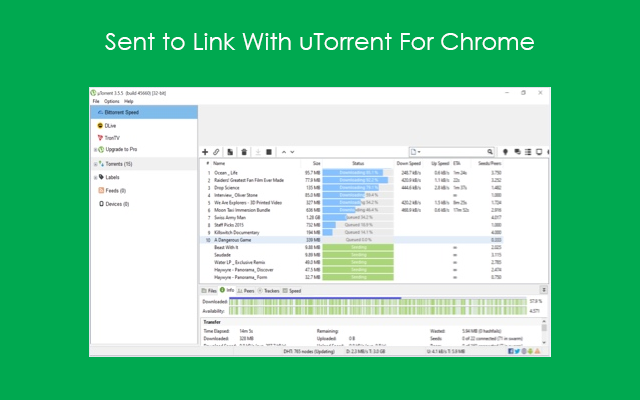
The benefits of uTorrent are clear:
- Extensions is small to install. Utorrent For Chrome does not slow down your PC.
- It manages bandwidth well. You can browse the web smoothly while you download.
Chrome Integration: A New Tool
Extensions make software better. This trend is very popular now. You can change apps to fit your needs. The uTorrent extension for Chrome brings tools right to your browser. This is very convenient.
Why Integrate uTorrent with Chrome?
Using uTorrent with Chrome is very easy. You can right-click a magnet link. Then, send it straight to the uTorrent program. This starts the download quickly. You do not need to open the uTorrent app first.
Furthermore, the uTorrent Web client is part of this. It works inside browsers like Chrome, Firefox, or Opera. It has a simple look. This makes it great for new users.
Key features of uTorrent Web:
- Play instantly: Play video or audio files while they download.
- Safe scanner: It helps you find safe torrents on Google or Yahoo. This avoids bad sites.
- Easy interface: It makes downloading simple in your browser.
- Download anything: It works for all files, but it is best for video.
- Save resources: You can set speed limits. This frees up internet for others.
- Many languages: It is available in 15 languages like Spanish, French, and Russian.
- Save where you want: You can choose the folder for your files.
uTorrent Web has different versions. These include PRO+VPN, PRO, AD-FREE, and BASIC (Free).
How to Install uTorrent For Chrome
Getting started is simple. Just follow these steps:
- Add “uTorrent For Chrome” from the Chrome Web Store.
- Install the extension.
- Open the uTorrent program on your PC.
- Go to Options > Preferences.
- Go to Advanced > Web UI and click Enable Web UI.
- Enter a username and password.
- Go back to the Chrome extension settings and enter the same details.
Frequently Asked Questions
Like any app, uTorrent can have small issues. Sometimes downloads are slow. Often, you can fix this by clearing the cache or checking the firewall.
Is the uTorrent extension available for other browsers?
Yes, it is on Chrome now. However, developers are making it for other browsers too.
Can I watch videos while they download?
Yes! In fact, you can stream media before the download finishes.
Is my data safe with this extension?
Yes. uTorrent cares about security. Therefore, it uses encryption to keep data safe.
What are “seeders” and “leechers”?
What are “seeders” and “leechers”? Seeders are users who have the full file and share it. On the other hand, leechers are still downloading the file.
Conclusion
The uTorrent extension for Chrome makes torrents easier. It is easy to install and has great features. Sharing digital files is very common today. So, uTorrent for Chrome is a great solution. It is simple and fast. It connects with your browser perfectly. As a result, it is a top choice for all users.
uTorrent has a sibling called BitTorrent for Chrome. I recommend you read the article about it on our site.